How to Get Started
Are you new to using 32-bit PIC® and SAM microcontrollers (MCUs)? Our MCUs are supported by our comprehensive MPLAB® development ecosystem, which includes an Integrated Development Environment (IDE), C and C++ compilers, production-ready code generation tools and development boards. Are you using a third-party tool? Our devices integrate seamlessly with our third-party partners including Microsoft® Visual Studio® Code (VS Code®), Arm® Keil® MDK and IAR Embedded Workbench® ecosystems. With a wide range of easy-to-use options, our development solutions help you quickly bring your designs to life.
MPLAB Tools for VS Code
MPLAB Tools for VS Code is a modern, lightweight editor for those who already use VS Code for development.
Set up MPLAB Tools for VS Code
Follow these quick steps to enable Microchip development inside VS Code.
1) Install VS Code
Download VS Code and install it to your operating system
2) Add Microchip Extensions
Extensions → search MPLAB for VS Code → install MPLAB Extension pack
3) Create your first project
File → New Window → Explorer (Page Icon on left sidebar) → Create MPLAB Project → Follow steps to install compilers and Device Family Packs (DFPs)
4) Open MPLAB Code Configurator
Press Control + Shift + P and type “MPLAB MCC: Launch” in search bar to launch MPLAB Code Configurator
5) Launch MPLAB AI Coding Assistant for VS Code
Use the Microchip Icon in left side bar to open our free AI coding assistant and follow steps to obtain the API key.
MPLAB X IDE
Our full‑featured IDE with an integrated compiler and debugger support is an excellent choice if you prefer a dedicated environment.
Set up MPLAB X IDE
Do you prefer a dedicated IDE? MPLAB X IDE integrates a compiler, debugger and pack management in one environment.
1) Install MPLAB X IDE
Download here to install to your operating system.
2) Install compilers
Install MPLAB XC8 and XC32 compilers via MPLAB X installer or download separately here.
3) Create a project
File → New Project → Select Device → Configure peripherals with MCC
Featured Development Boards
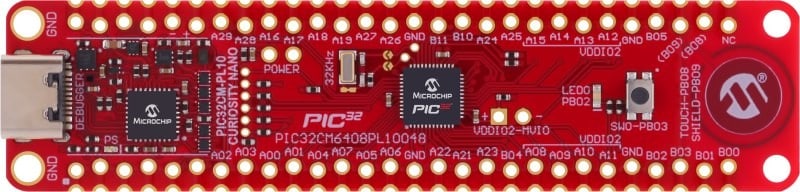
PIC32CM PL10 Curiosity Nano Evaluation Kit
Part Number: EV10P22A
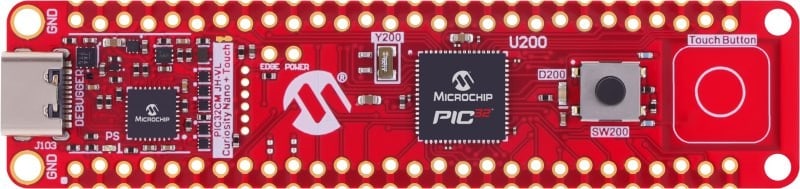
PIC32CM JH-Value Line Curiosity Nano + Touch Evaluation Kit
Part Number: EV16B95A
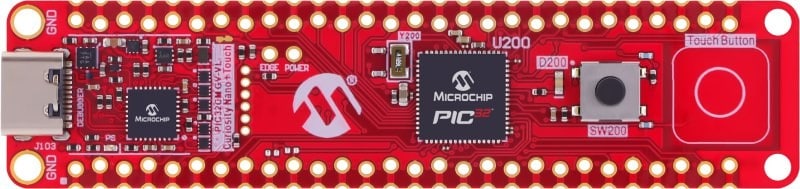
PIC32CM16/32 GV00-Value Line Curiosity Nano + Touch Evaluation Kit
Part Number: EV80D90A
3. Start Developing
Once your environment is ready, seamlessly start configuring your device with our step-by-step guides and comprehensive code example resources.
Steps to follow to start developing:
- Find your code example
- Download your code example
- Open the example in VS Code® or MPLAB® X IDE
- Program your board
8-bit to 32-bit MCU Migration Guides
Are You Looking for More In-Depth Training?
Microchip University offers free, on-demand technical training designed by the same engineers who build our products. With courses covering everything from C Programming and MPLAB® X IDE to motor control, security and IoT, you can deepen your knowledge at your own pace and skill level. Learn how to use our development tools effectively and explore best practices for embedded system design.