
2D Touch Surface Library
2D Touch Surface Library for Low-Power Embedded Designs
Which Code Configurator Should You Use?

For 8-bit PIC® MCUs and dsPIC33C DSCs

For 32-bit MCUs
How Can Your Design Benefit From the 2D Touch Surface Library?
Replace Mechanical Buttons with Gesture Detection
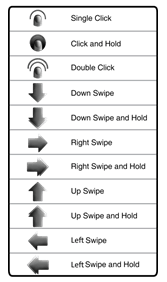
Update the mechanical buttons in your design with a modern user interface that allows users to conveniently use surface gestures to interact with or control their devices. The 2D Touch Surface Library makes it easy to map a variety of single- and dual-finger gestures to GPIO pins so you can customize your design to your specific requirements. A single-finger swipe can mimic the signal from a button and two-finger zoom can give users easy access to data. You can quickly and economically enhance the user interface for your embedded product without investing in the hardware ecosystem required by a smartphone.
Water-Tolerant 2D Touch
Eliminate the need for users to wipe their fingers dry and clean before using your product’s touchpad or touchscreen. The Core Independent Peripherals (CIPs) that enable capacitive touch in the supported PIC MCUs can drive multiple lines as guards. This is an important feature for enabling water-tolerant 2D touch in your product. Use the mTouch® Capacitive Sensing Library Module within MCC so that your touchpad or touchscreen works even with wet fingers.
Our Touchscreen Design Partners
This video describes some of the challenges associated with touchscreen controller design, and introduces our maXTouch® touch sensor module partners as a tool to reduce complexity and lower risk.