Log in to myMicrochip to access tools and benefits. Sign up in just one minute.
Maximize Your Experience: Reap the Personalized Advantages by Completing Your Profile to Its Fullest. Update Here
Stay in the loop with the latest from Microchip. Update your profile while you are at it. Update Here
Complete your profile to access more resources. Update Here

true
FTS Resources: Requesting Access to FTS Resources on myMicrochip
How to Submit a Request to Access FTS Resources
Step 1
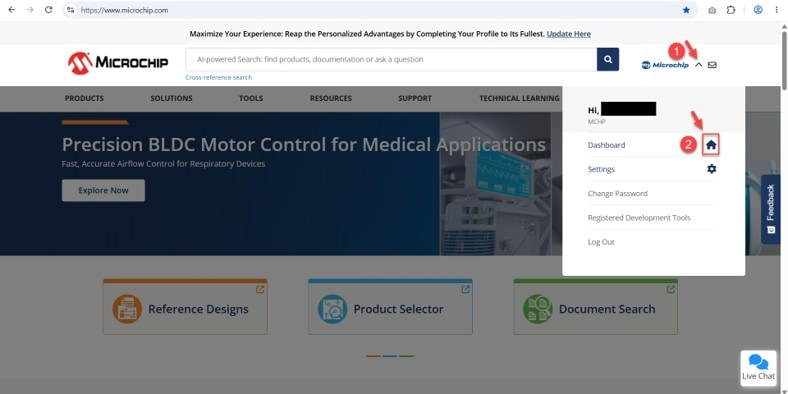
Step 2
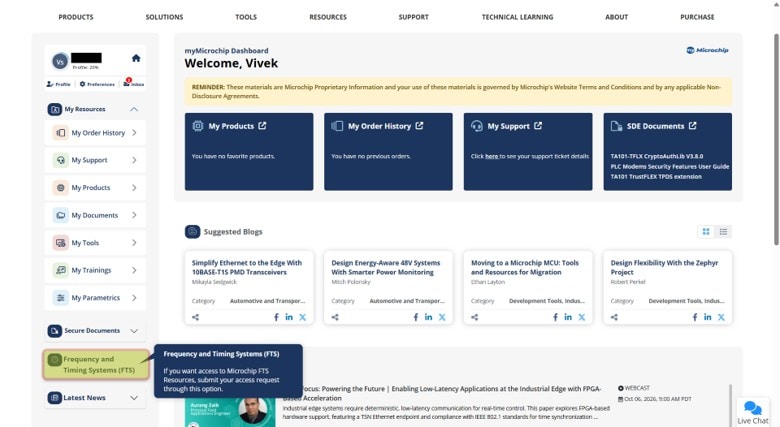
Step 3
Step 4
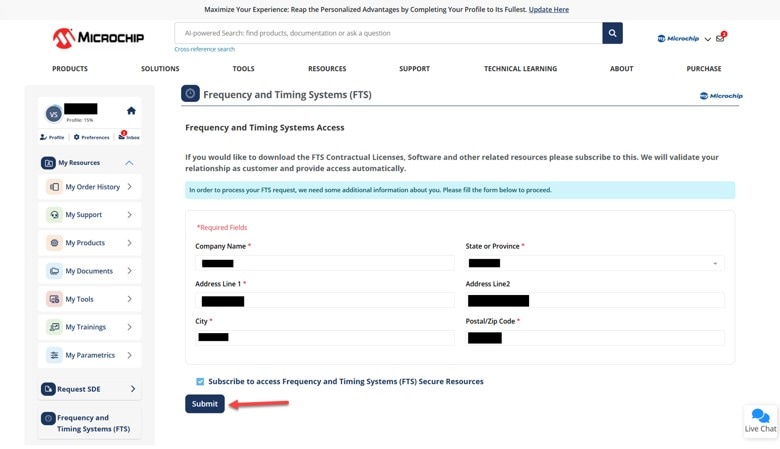
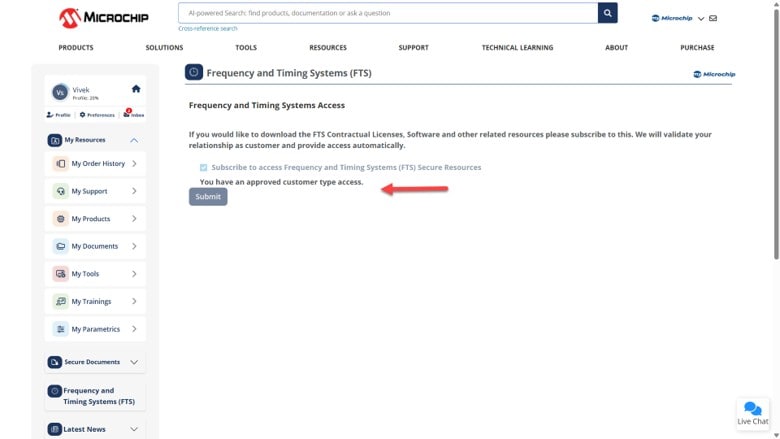
Note: If you have already created a myMicrochip account and provided the required information in the past, you will just see the following screen, without the form. You can just click on the checkbox that says, "Subscribe to access Frequency and Timing Systems (FTS) Secure Resources", and then click on the "Submit" button as shown below.
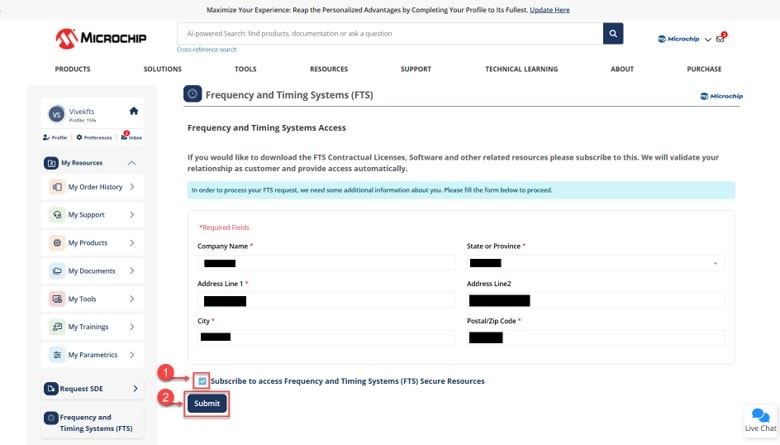
Step 5
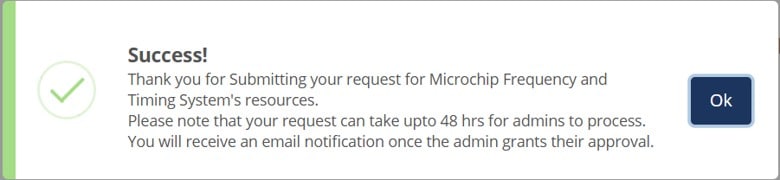
Approval Process
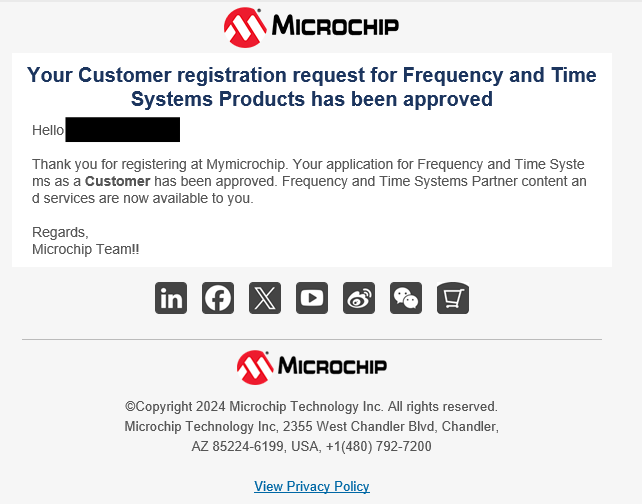
Reviewing Your Request Status
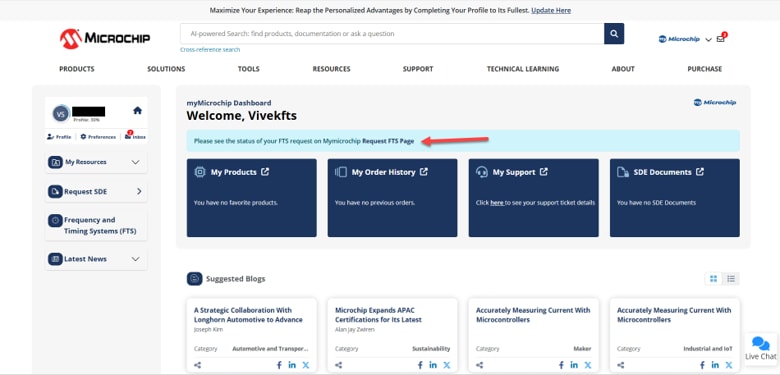
On the Frequency and Timing Systems (FTS) page, as shown in the images below
- If your request is still being reviewed, you will see this status message:
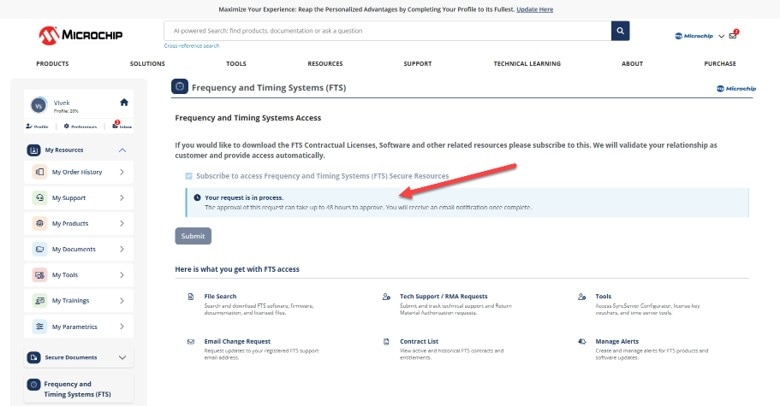
- If your request is approved, you will see this status message:
After Your Request Is Approved
When you are notified that your request has been approved, log into your myMicrochip account and go to your dashboard. You will now see the "Frequency and Timing Systems (FTS)" sub-menu has been updated to provide you with these options:
- File Search
- FTS Contract List
- Manage Alerts
- Tech Support/RMA Requests
- Email Change Request
Download the Access Guide for FTS Support Services to learn how to use these features.