Log in to myMicrochip to access tools and benefits. Sign up in just one minute.
Maximize Your Experience: Reap the Personalized Advantages by Completing Your Profile to Its Fullest. Update Here
Stay in the loop with the latest from Microchip. Update your profile while you are at it. Update Here
Complete your profile to access more resources. Update Here

Overview
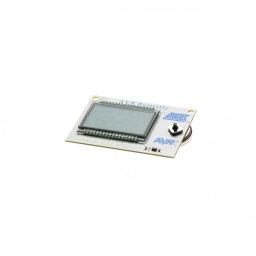
The evaluation tool is shipped with preloaded firmware that supports temperature sensing, light measurement, voltage readings and music playback. AVR Butterfly can also be used as a nametag. AVR Butterfly can be reprogrammed from AVR Studio using a serial cable for use as a development kit for the onboard ATmega169PV, or even as target hardware for simple applications. The bootloader source code is available as application note AVR109. The code is written for the ATmega169V device, but is compatible and will work correctly without board modifications with the onboard ATmega169PV device. AVR Studio online-help contains the most current information and a complete list of supported devices.
- LCD with 120 segments, for demonstrating the ATmega169 LCD controller
- Four-direction joystick with centre push for user input
- Piezo element to play sounds
- 32kHz crystal for the real-time clock
- 4Mbit DataFlash for data storage
- RS-232 level-converter, for communicating with off-board units
- NTC thermistor for temperature measurements
- 3V button cell battery (600mAh) to provide operating power
- JTAG connector for debugging
- USI-interface, for additional communication interface
- Supported by AVR Studio 4
- Only a serial cable is required to reprogram the AVR Butterfly
- Pre-programmed with a demonstration application, including bootloader
Cannot load image!